Skip to content
What is Nuance - Dragon speaking, Powermic, PaperPort, PDF
  • Home
  • About Us
  • Contact
  • Cookies
  • Kofax PowerPDF
  • Privacy Policy
  • Terms and Conditions
  • facebook.com
  • twitter.com
  • t.me
  • instagram.com
  • youtube.com
Subscribe

Document Management Software

Solutions for converting, editing, and managing digital documents. These software tools streamline the workflow of document handling, offering features like optical character recognition (OCR), PDF conversion, and document organization. They are vital for businesses needing efficient document processing and archiving.

  • Home
  • Document Management Software
  • Page 2
Colleagues working with computers and office materials in a shared workplace.
Posted inDocument Management Software

Power PDF Signature Invalid After Editing: Preserve and Diagnose

If a PDF signature appears invalid after editing, preserve both the original signed file and the edited copy before making further changes. Signature.
Posted by What is Nuance 18 de November de 2026
Colleagues working with computers and office materials in a shared workplace.
Posted inDocument Management Software

OmniPage Duplex Pages in the Wrong Order: Trace Acquisition and Export

If a two-sided document arrives in the wrong order in OmniPage, separate scanner acquisition order, loaded-file order and exported-page order. Reordering.
Posted by What is Nuance 17 de November de 2026
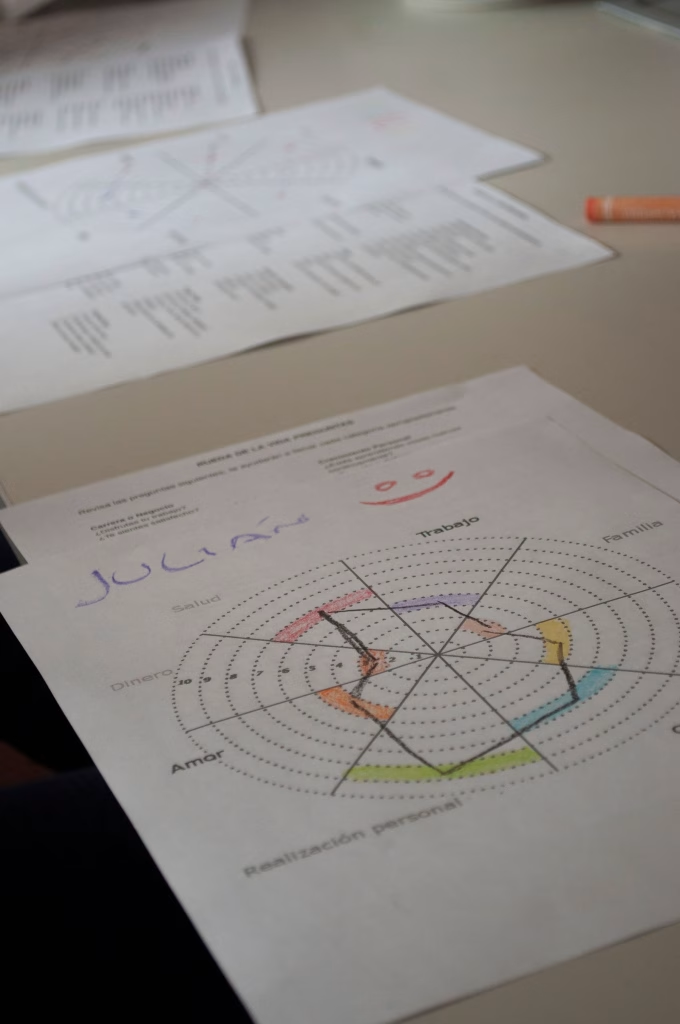
Paper notes and a hand-drawn diagram on a meeting table.
Posted inDocument Management Software

PaperPort Folder Manager: Add a Reference Without Moving the Archive

Adding an existing folder through PaperPort's Folder Manager makes that location available in the Folders pane; it should not be confused with moving the.
Posted by What is Nuance 17 de November de 2026
Colleagues working with computers and office materials in a shared workplace.
Posted inDocument Management Software

Power PDF Compression Makes Scans Blurry: Choose a Safer Test

If a compressed PDF makes scanned text harder to read, return to the original and compare less aggressive settings on a copy. A smaller file is not a.
Posted by What is Nuance 16 de November de 2026
An office participant during a workplace discussion.
Posted inDocument Management Software

OmniPage Zone Template Stops Matching Forms: Check Layout Changes

When an OmniPage zone template stops matching a form, compare the new page geometry with the template before rerunning the whole batch. A template.
Posted by What is Nuance 15 de November de 2026
Colleagues working with computers and office materials in a shared workplace.
Posted inDocument Management Software

PaperPort Image Printer Versus Scanner: Why the Device Lists Differ

PaperPort Image Printer is a virtual print destination for creating document items from another application; it is not the physical scanner. Its presence.
Posted by What is Nuance 15 de November de 2026
Colleagues working with computers and office materials in a shared workplace.
Posted inDocument Management Software

Power PDF to PDF/A: Check the Output Before Archiving

Saving a file with a PDF/A-related option is only the beginning of an archive workflow. Confirm the required PDF/A variant, inspect the converted document.
Posted by What is Nuance 14 de November de 2026
Office colleagues reviewing paper files
Posted inDocument Management Software

PaperPort Scanner Button Uses Different Settings: Check Its Assigned Profile

Compare physical-button and on-screen scans. Check the event's receiving application and assigned PaperPort profile before changing drivers.
Posted by What is Nuance 13 de November de 2026
An office participant during a workplace discussion.
Posted inDocument Management Software

OmniPage Word Export: True Page or Flowing Page for Editing?

Choose an OmniPage export approach according to whether the recipient needs page appearance or convenient text editing. True Page and Flowing Page.
Posted by What is Nuance 13 de November de 2026
Colleagues working with computers and office materials in a shared workplace.
Posted inDocument Management Software

PaperPort Duplex Scans Lose Blank Backs: Review the Profile First

If a duplex scan omits blank backs or creates unexpected empty pages, inspect both the scanner's duplex setup and PaperPort's profile processing. Hardware.
Posted by What is Nuance 13 de November de 2026

Posts pagination

Previous page 1 2 3 4 … 7 Next page

Recent post

  • PaperPort Finds Text but Another PDF Viewer Does Not: Check the Text Layer
  • Power PDF Scan Produces Blank Pages: Separate Acquisition From OCR
  • Power PDF Split by Bookmarks or File Size: Keep the Result Understandable
  • Azure Document Intelligence Result Expired: Persist the Completed Output Deliberately
  • PaperPort Email Attachment Has the Wrong Format: Review Send To Options

Recent comments

  1. PaperPort Finds Text but Another Viewer Does Not on OneDrive OCR: Copy Text from Scanned PDFs on Mobile
  2. Power PDF Scan Is Blank: Check the Acquired Image on Power PDF vs Adobe Acrobat: A Small-Business Buying Guide
  3. Power PDF: Split by Bookmarks or File Size? on Power PDF vs Adobe Acrobat: A Small-Business Buying Guide
  4. PaperPort Email Attachment Format: Send To Checks on OneDrive OCR: Copy Text from Scanned PDFs on Mobile
  5. Dragon Works in Word but Not Chrome: Checks on PowerMic III vs PowerMic 4: Is the Upgrade Worth It?

Files

  • November 2026
  • October 2026
  • September 2025
  • August 2025
  • July 2025
  • April 2025
  • March 2025
  • January 2025
  • August 2024

Categories

  • Artificial Intelligence
  • Business
  • Cloud Solutions
  • Document Management Software
  • Enterprise Solutions
  • IA
  • Microphones and Peripherals
  • Microsoft
  • Nuance
  • Technology
  • Uncategorized
  • Voice Recognition Solutions
Copyright 2026 — What is Nuance - Dragon speaking, Powermic, PaperPort, PDF. All rights reserved. Privacy Policy | Terms and Conditions | Cookies
Scroll to Top